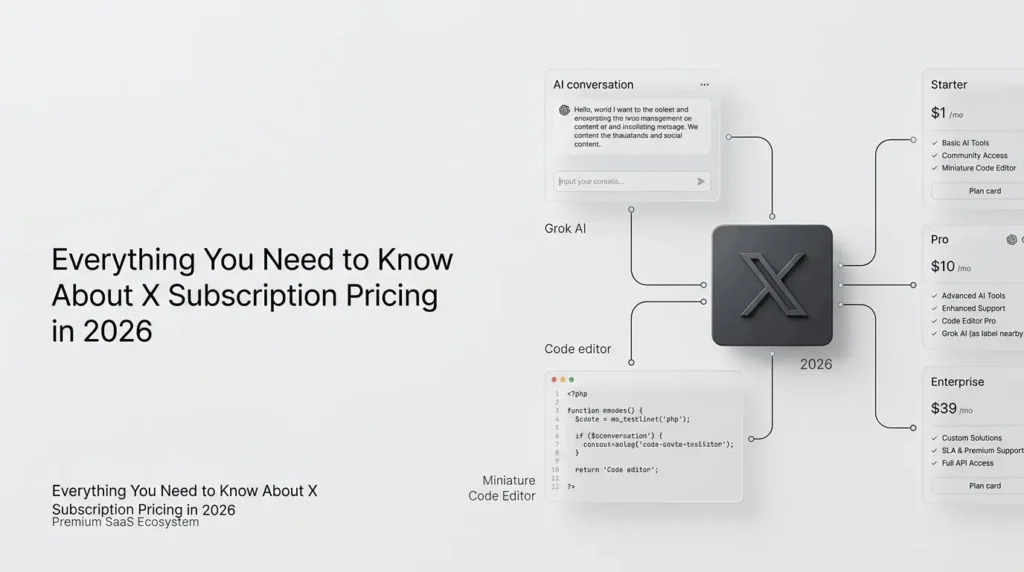
X subscription pricing can be confusing because X offers paid features for its social platform, while its newer subscription structure also connects X with Grok AI and Cursor.
The price you pay depends on the plan you choose, your country, your billing platform, and whether you want social media features, advanced AI access, or both.
As of October 2026, X’s traditional Premium plans include Basic, Premium, and Premium+. X also documents a newer unified subscription structure with Free, Plus, Premium, Super, and Ultra plans.
Existing Premium subscribers do not automatically move to the newer system; switching is optional.
This guide explains the available pricing, plan differences, billing options, and how to choose the right subscription without paying for features you do not need.
Key Takeaways
- X offers multiple plans: Basic, Premium, and Premium+, plus newer unified subscription options.
- Choose based on your needs: Basic for publishing tools, Premium for creators, and Premium+ for advanced features and fewer ads.
- Pricing varies: Costs depend on your country, billing period, and payment platform.
- Grok and Cursor access: Unified plans combine eligible benefits across these products.
- Check before subscribing: Verify current prices, features, and eligibility on X’s official website.
Table of Contents
A Quick Comparison: X subscription Pricing in 2026
The following table shows the traditional X Premium prices published by X for India and the United States. These are web prices, not guaranteed prices for every account or payment method.
| Traditional plan | India monthly | India annually | US monthly | US annually |
|---|---|---|---|---|
| Basic | ₹243.75 | ₹2,590.48 | $3 | $32 |
| Premium | ₹650 | ₹6,800 | $8 | $84 |
| Premium+ | ₹3,470 | ₹34,340 | $40 | $395 |
Prices are from X’s published web pricing table and may change. Taxes, payment fees, regional availability, and app-store pricing can affect the amount charged.
Check the price displayed in your own account before purchasing.
These figures refer to the traditional Premium tiers. They should not be treated as the prices of the newer unified X Subscription plans, whose billing is managed separately through the relevant subscription workspace.
What is an X subscription?
An X subscription is a paid membership that unlocks additional features beyond the standard free X experience.
Depending on the plan, those benefits can include editing posts, publishing longer content, a blue checkmark, fewer advertisements, creator monetization tools, and expanded access to Grok AI.
There are now two related offerings to understand:
- Traditional X Premium: Basic, Premium, and Premium+, primarily structured around features for the X social platform.
- The X Subscription: A newer unified offering that can connect X, Grok, and Cursor under one subscription and billing arrangement.
The distinction matters because the two structures have different plan names, benefits, and billing arrangements. Existing Premium members can keep their current plan unless they choose to switch.
What are the different X Premium plans?
1. X Basic
Basic is the entry-level paid tier for people who want extra publishing and customization tools without paying for the full Premium experience.
According to X’s published feature descriptions, Basic includes:
- Editing eligible posts within the permitted editing window.
- Publishing longer posts.
- Longer video uploads, subject to platform limits.
- Bookmark folders and text formatting.
- Custom app icons and other interface customizations.
- Reply prioritization features.
Basic does not include the blue checkmark or the reduced-ad experience provided by higher traditional tiers.
Who should choose it? Casual creators, frequent posters, and users who want more flexibility when publishing content but do not need verification or advanced monetization features.
2. X Premium
Premium builds on Basic by adding features designed for creators and people who use X more actively.
Its listed benefits include:
- Eligibility for a blue checkmark, subject to account review.
- Reduced advertisements in the For You and Following timelines.
- Access to apply for creator monetization programs, subject to eligibility.
- Greater reply prioritization.
- Media Studio and additional creator features.
- Increased usage limits for Grok compared with lower tiers.
The blue checkmark is not simply an automatic purchase benefit. X reviews accounts against its eligibility requirements before awarding or retaining it.
Who should choose it? Marketers, professional creators, founders, and businesses that publish regularly, need creator tools, or want to explore monetization.
3. X Premium+
Premium+ is the highest-priced tier in the traditional consumer Premium structure. It combines Premium’s benefits with additional features for people who use X extensively.
Listed benefits include:
- An ad-free experience across most areas of X, although occasional sponsored content may still appear.
- The largest reply-prioritization benefits among the traditional tiers.
- Access to features such as Articles and Radar Search.
- SuperGrok access and Grok Bot benefits, as described in X’s plan documentation.
Feature availability and entitlements can change, so users should check the current plan comparison before subscribing.
Who should choose it? Heavy X users, professional publishers, and people who specifically want the higher-tier social features alongside expanded AI-related benefits.
What is the newer X Subscription, and how is it different?
The newer X Subscription is designed to bring three products together: X, Grok, and Cursor. Rather than managing separate eligible subscriptions for each product, users can combine them under a shared subscription and billing arrangement.
X documents five plan names in this structure: Free, Plus, Premium, Super, and Ultra. The benefits attached to X depend on the plan and whether a personal X account is connected.
| Unified plan | X benefits described by X | Best suited for |
|---|---|---|
| Free | Standard X experience | Users who do not need paid benefits |
| Plus | Checkmark, creator tools, and fewer ads | Users seeking additional X features |
| Premium | Full X Premium+ benefits | Users combining social and AI workflows |
| Super | Full X Premium+ benefits | Users seeking a higher-tier unified offering |
| Ultra | Full X Premium+ benefits | Users seeking the highest tier in this structure |
This table summarizes the X benefits documented for each plan, not the complete Grok or Cursor entitlements. Exact usage allowances and other benefits should be checked in the current subscription dashboard.
The main difference is the scope of the subscription. Traditional X Premium focuses on membership benefits for X, whereas the unified offering combines eligible products and shares a weekly usage pool between Grok and Cursor.
Third-party models used in Cursor, including Claude and GPT, are not included in that pool and can incur separate API charges
How much do the unified X Subscription plans cost?
X’s public help page describes the unified plans and their benefits, but the information available there does not establish a complete, reliable price table for all five tiers and every region.
For that reason, it would be misleading to assign the traditional Premium prices to Plus, Premium, Super, or Ultra.
To see the applicable price:
- Visit the official X website or Grok website.
- Sign in to the account you intend to use.
- Open the relevant subscription or plan-management page.
- Compare the displayed price, billing period, included usage, and account eligibility.
- Check the final checkout amount before confirming payment.
If you already pay separately for X Premium or Grok, compare the cost of your current subscriptions with the unified plan before switching.
X says switching is optional, and existing eligible subscriptions can be combined through its documented migration process.
What features do you get for your money?
Price alone does not determine which membership offers the best value. Consider which features you will actually use.
| Feature | Basic | Premium | Premium+ |
|---|---|---|---|
| Edit posts | Yes | Yes | Yes |
| Longer posts | Yes | Yes | Yes |
| Blue checkmark eligibility | No | Yes, subject to review | Yes, subject to review |
| Reduced ads | No | Yes, in specified timelines | Ad-free across most areas |
| Creator monetization access | Not included as a Premium-tier benefit | Eligible users can apply | Eligible users can apply |
| Higher Grok usage | Standard lower-tier access | Increased limits | Additional benefits, including SuperGrok access |
| Best reason to upgrade | Publishing tools | Creator features and verification | Higher-tier features and fewer ads |
This comparison covers the traditional Premium plans. It does not mean that every benefit is identical across platforms or that every user automatically qualifies for monetization or verification.
Is an X subscription worth the price?
An X subscription is worth considering when its additional features save you time, support your work, or provide access to tools you use regularly. It is less compelling if you mainly read posts and occasionally share updates.
a) For everyday users
Basic may be sufficient if you want to edit posts, publish longer updates, and organize bookmarks. If you do not need those features, the free version may be all you need.
b) For creators and marketers
Premium can be more useful if you publish frequently, manage a public profile, or want to explore eligible creator programs. However, paying for a subscription does not guarantee audience growth, engagement, or monetization income.
c) For businesses and professional publishers
Premium+ may be worth evaluating if reduced advertisements, expanded reply prioritization, long-form publishing, and AI-related benefits are valuable to your workflow.
d) For developers and AI users
The unified X Subscription may be more relevant if you already use both Grok and Cursor. Compare the shared usage pool, model access, and any additional charges before assuming that one subscription will replace all your AI expenses.
How to subscribe to X Premium?
You can purchase a traditional Premium subscription through X on the web or in its mobile apps, where the plans are available.
- Open X.com and sign in.
- Select Premium from the navigation menu.
- Review the available tiers.
- Choose monthly or annual billing, where offered.
- Review the local price, taxes, and payment details.
- Confirm the subscription.
If you are purchasing on a mobile device, open the X app and find Premium in the profile menu. The options and final prices may differ from those shown on the website.
Is X Premium cheaper on the web or mobile?
X explicitly states that iOS and Android subscription prices can differ from web prices because of application-store fees.
Its help center recommends purchasing through the web if you want the lowest available price.
Before paying, compare the final checkout amounts rather than assuming the difference will be the same in every country.
Annual billing may also cost less than paying for 12 separate months.
For example, the published US Premium price is $8 per month or $84 per year. Twelve monthly payments total $96, so the annual option saves $12 before taxes or other charges.
How do you cancel an X subscription?
Cancellation depends on where you originally purchased the plan.
- Web: Open your X account settings and navigate to the Premium or subscription management section.
- iPhone or iPad: Manage an App Store subscription through the relevant Apple subscription settings.
- Android: Manage a Google Play subscription through the relevant Google Play settings.
X advises cancelling at least 24 hours before renewal to avoid another charge. Your paid features generally remain available until the end of the current billing period.
Subscription payments are generally non-refundable unless an applicable policy or law provides otherwise.
Uninstalling the app does not cancel a subscription.
How does the cost of an X Subscription compare to Creator Subscriptions?
There is another distinction that often causes confusion: subscribing to X itself is different from subscribing to a creator on X.
| Subscription type | What you pay for | Who sets the price? |
|---|---|---|
| X Premium | Additional features for your own account | X |
| Unified X Subscription | Eligible benefits across X, Grok, and Cursor | X |
| Creator subscription | Exclusive content and perks from an individual creator | The creator selects an available price point |
Creator subscriptions can include exclusive posts, subscriber-only Spaces, and other benefits chosen by the creator.
They are separate purchases, so paying for Premium does not automatically unlock every creator’s paid content.
This difference is important when calculating your total monthly spending. If you subscribe to several creators, those charges can be added to your regular X membership.
Final Thoughts
Choosing the right X subscription comes down to how you use the platform.
Basic is a practical starting point for additional publishing tools, Premium is more suitable for creators and professional users, and Premium+ targets people who want more extensive features and fewer advertisements.
If you also use Grok AI or Cursor, compare the newer unified X Subscription before paying for multiple services.
Just make sure you compare the actual plan prices, usage limits, and included features rather than assuming the traditional Premium prices apply to the newer plans.
For the most accurate X subscription pricing in 2026, check the official plan page and confirm the total at checkout before purchasing.
Frequently Asked Questions (FAQs)
1. What is the cheapest X subscription in 2026?
For the traditional Premium structure, Basic is the least expensive paid tier, with published US web pricing starting at $3 per month or $32 per year. The price varies by region, and the newer unified subscription uses a separate plan structure.
2. Is X free without a subscription?
Yes. X continues to offer a standard free experience. Paid memberships add features, but users do not need a Premium subscription simply to use the platform’s standard features.
3. Does X Premium include Grok AI?
Traditional Premium and Premium+ have different Grok-related benefits. X’s published documentation lists increased Grok usage for Premium and additional benefits, including SuperGrok access, for Premium+. The exact entitlements of the unified plans should be checked separately.
4. Do you automatically get a blue checkmark after paying?
No. Traditional Premium and Premium+ subscribers are eligible for a blue checkmark, but their accounts must satisfy X’s requirements and pass its review. Paying alone does not guarantee approval.
5. Can you switch from Premium to the unified X Subscription?
X says the switch is optional. Eligible users can combine supported subscriptions through the documented process. Before switching, review which existing plans will be cancelled, how unused time is refunded or credited, and whether any app-store subscription requires separate action.
6. Is X Premium+ completely ad-free?
X describes Premium+ as ad-free across most areas of the platform, but occasional sponsored content may still appear. It is more accurate to describe the experience as largely ad-free than to promise the complete absence of all promotional content.
Also Read –
What Is the X Subscription? Plans, Benefits and How It Works?
Pingback: X Subscription Not Working? Common Problems and How to Fix Them (Updated)