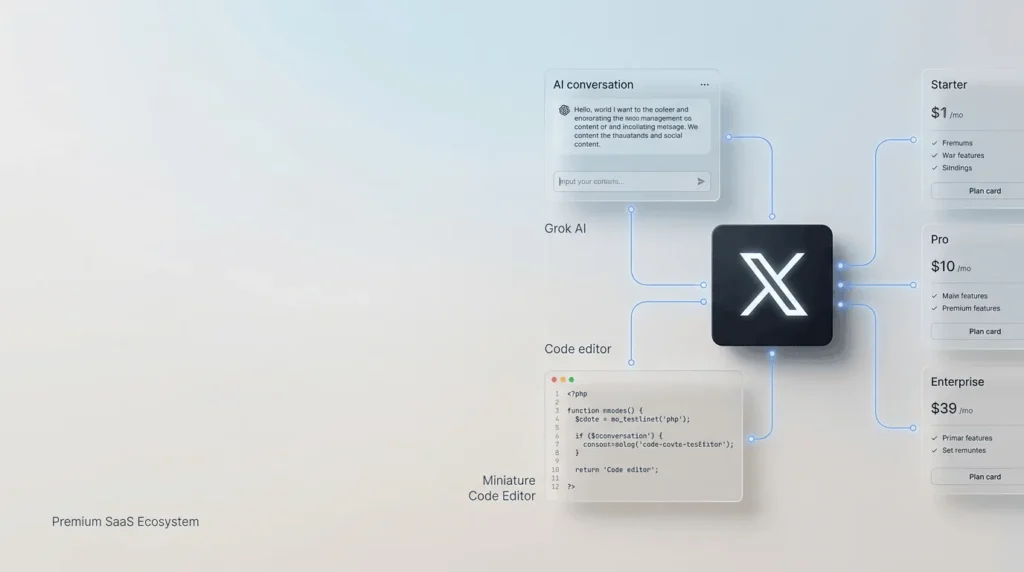
X Subscription is a paid subscription offering that brings together X’s social platform with access to AI tools such as Grok and the Cursor coding editor.
The benefits you receive depend on the plan you choose and the accounts you connect.
Existing X Premium subscribers can keep their current plan, price, and features unless they choose to switch to the newer combined subscription.
For everyday users, a paid subscription can add features such as editing posts, publishing longer content, and prioritizing replies. Higher-tier options offer additional benefits, including a blue checkmark for eligible accounts and expanded access to AI tools. The free version of X remains available, so paying is optional.
This guide explains what the X Subscription includes, how its plans differ, what it may cost, and how to decide whether it is worth paying for.
What Is the X Subscription?
X Subscription is a paid service designed to combine social networking features with access to AI products.
Its current combined offering connects X, Grok, and Cursor under one subscription, with plan-dependent benefits for each service.
It is important to distinguish this from the free X account and from a creator subscription. A free account lets you use X’s standard social features. A paid plan adds eligible premium benefits.
A creator subscription, by contrast, is a payment you make to an individual creator to access their exclusive content.
What are the current X Subscription plans and pricing?
The current combined subscription has four paid tiers: Plus, Premium, Super, and Ultra.
The official pricing documentation lists the following prices in US dollars.
Local prices, taxes, and payment terms may differ, so check the official checkout page before subscribing.
| Plan | Monthly price | Annual price | Included usage |
|---|---|---|---|
| Free | $0 | $0 | Limited |
| Plus | $8 | $80 | Base |
| Premium | $30 | $300 | 4× Plus |
| Super | $100 | $1,000 | 15× Plus |
| Ultra | $200 | $2,000 | 50× Plus |
Source: Official X Subscription pricing documentation, last updated October 11, 2026.
Annual monthly equivalents are rounded by the provider.
The usage figures represent the included usage level for the combined service, not a promise that every feature is available without limits.
Grok and Cursor draw from a shared weekly usage pool.
What does each plan offer?
The following describes the current combined subscription, not the older standalone X Premium pricing structure.
- Free: Lets you use standard X. It is suitable for people who mainly read posts, publish updates, follow accounts, and interact with other users.
- Plus: Adds a blue checkmark for eligible connected accounts, creator tools, and fewer ads on X. It includes the base usage allocation for the combined AI offering.
- Premium: Includes the full X Premium+ benefit set for a connected personal X account, along with a larger included usage allocation. Grok Bot is also included.
- Super: Provides the same stated X Premium+ benefit level as Premium, with a substantially larger usage allowance for AI workflows. Grok Bot is included.
- Ultra: Offers the largest included usage allocation among the listed individual plans, alongside the full X Premium+ benefit set. Grok Bot is included.
These descriptions follow the official plan and usage documentation.
They do not mean that every tier has identical AI limits or that third-party AI models in Cursor are included in the subscription.
What benefits do you get with an X Subscription?
The main benefit is that a single subscription can connect your X account with AI and coding tools. The practical value depends on which features you use.
1. More tools for publishing on X
X’s premium features can help people who publish frequently.
Depending on the connected plan, benefits may include editing posts, longer posts, longer video uploads, bookmark folders, text formatting, and greater reply prioritization.
Higher qualifying tiers also provide creator tools and other premium features.
For example, a marketer could draft a longer product announcement, correct a typo after publishing, and organize saved research posts into bookmark folders.
2. A blue checkmark for eligible accounts
The blue checkmark is available to eligible accounts with the required paid plan. It is not automatically guaranteed simply because a payment succeeds:
X reviews accounts against its eligibility criteria.
The current subscription documentation lists a checkmark among the benefits of Plus and higher plans, while the older standalone Premium structure associates it with Premium and Premium+.
A checkmark should not be interpreted as proof that every claim made by an account is true.
3. Access to Grok AI
Grok is an AI assistant that can help with tasks such as answering questions, explaining information, and supporting research or writing.
The amount of usage available depends on your plan and the applicable usage rules.
The combined subscription’s included usage pool is shared between Grok and Cursor.
Heavy use of one can therefore leave less of the included allowance for the other until the pool resets. Additional usage credits may be available at extra cost.
4. Cursor for coding tasks
Cursor is an AI-assisted code editor designed to help developers work with code.
Connecting it to the combined subscription can be useful if you build websites, write scripts, or work on software projects.
However, third-party models used through Cursor, such as Claude or GPT, are not included in the subscription’s included usage.
Their use may be billed separately at API list prices through prepaid credits. Check the pricing and usage rules before relying on a particular model.
5. Fewer ads on eligible plans
The amount of advertising depends on the X benefits associated with your plan.
Under the older standalone Premium structure, Premium reduces ads in certain timelines, while Premium+ provides an ad-free experience across most areas of X.
The newer combined plan describes Plus as providing fewer ads and Premium or higher as including the full Premium+ benefit set. Sponsored content may still appear in some places.
What Happens When Your Included X Subscription Usage Runs Out?
The included usage allowance is shared across eligible Grok and Cursor activities rather than being a completely separate allowance for each service.
Different activities can consume different amounts, so your available usage depends on how you use the tools.
When you exhaust your included allowance, eligible first-party usage may incur additional charges through prepaid credits. Third-party models in Cursor use paid additional usage from the first use.
Check your dashboard to see your remaining allowance and applicable charges before continuing.
Can You Control Extra Usage Charges on the X Subscription?
Yes. The subscription provides controls for managing prepaid credits and additional usage spending.
These controls are separate: having prepaid credit does not necessarily mean additional spending is permitted beyond your configured monthly limit.
Auto Top-up is optional and must be enabled by the user.
If you want to avoid unexpected expenses, review your prepaid balance, monthly additional-usage limit, and Auto Top-up settings in the subscription dashboard.
How does the X Subscription work?
The service connects your X account with the subscription workspace used to manage billing and included usage for Grok and Cursor.
- Choose a plan – Compare the included usage and X benefits for Free, Plus, Premium, Super, or Ultra.
- Sign in and connect your accounts – If you want the X benefits, connect an eligible personal X account. Existing Grok or Cursor customers may have to follow the account-unification process.
- Pay through the official checkout – Review the recurring price, billing period, taxes, and any usage terms before confirming.
- Use the included services – Grok and Cursor draw from the shared weekly allowance. Your X features depend on the selected plan and connected account.
- Monitor usage and billing – Check your subscription dashboard for usage, billing details, and any available additional credits.
New customers can start through the official subscription flow.
Existing customers should check the switching rules before combining accounts.
According to the official documentation, switching is optional for existing subscribers, but the account-unification process is permanent once completed.
Can You Use the X Subscription Without Connecting an X Account?
You can use the combined subscription for its supported Grok and Cursor services without connecting an X account, but you will not receive the X-specific benefits associated with a paid plan until you connect an eligible personal account.
For example, a developer who mainly wants AI-assisted coding may prioritize Grok and Cursor, while a creator who also wants premium X features should connect their personal account.
Accounts managed by an organization, including affiliate accounts, cannot currently be connected for X benefits.
How does the unified X Subscription compare to a standard X Premium plan?
These names are related, but they do not refer to exactly the same subscription structure.
| Detail | Standalone X Premium | The X Subscription |
|---|---|---|
| Main purpose | Premium features for X | Combines X, Grok, and Cursor |
| Plan names | Basic, Premium, Premium+ | Plus, Premium, Super, Ultra |
| AI usage | Depends on the existing plan and its terms | Grok and Cursor share a weekly included pool |
| Billing | Separate X subscription | Combined workspace billing for eligible connected services |
| Existing subscribers | Can retain their current plan | Can choose whether to switch |
The older standalone X Premium tiers remain relevant because existing subscribers can keep their current plan and pricing until they switch or cancel.
Do not assume that the old Basic, Premium, and Premium+ prices are the prices for the newer combined subscription.
What Happens to Your Existing Subscriptions When You Switch to the X Subscription?
If you already pay for X Premium, Grok, SuperGrok, or Cursor, you do not have to switch immediately.
Your existing subscription generally continues under its current terms unless you change or cancel it.
If you choose to combine eligible subscriptions, the selected plans are handled through the unification process. Eligible unused time may be refunded on a prorated basis, but the process depends on how you originally paid.
For example, some subscriptions billed through Apple’s App Store require separate cancellation or refund steps. Review the official instructions before switching to avoid duplicate charges.
How is an X Subscription Different From a Creator Subscription on X?
An X Subscription is the combined paid offering for X, Grok, and Cursor. It provides platform features and AI-tool access according to the selected plan.
A creator subscription is different: it lets you pay an individual creator for exclusive posts, subscriber-only conversations, and other perks that the creator offers.
The creator sets their available subscription price, and the benefits depend on that creator’s offering.
| Feature | X Subscription | Creator subscription |
|---|---|---|
| Main purpose | Access platform benefits and AI tools | Support an individual creator and access exclusive content |
| Who receives the payment? | The subscription provider | The creator receives eligible earnings after applicable deductions |
| What you get | Plan-dependent X, Grok, and Cursor benefits | Creator-specific posts and perks |
| Are they the same purchase? | No | No |
You should not assume that paying for the combined X Subscription automatically unlocks content offered through individual creator subscriptions.
Does the X Subscription Offer Plans for Teams?
Yes. The combined subscription offers team plans for businesses and groups that need access to AI-assisted coding and related services.
Team workspaces support centralized billing and administration, usage analytics, and different plan tiers for different seats.
Each paid seat has its own included usage allowance, while prepaid additional-usage credits can be managed at the workspace level. Team members can also connect their eligible personal X accounts to receive the relevant X benefits.
Team pricing and available tiers should be checked on the official pricing page before purchasing.
Is an X Subscription worth paying for?
The right plan depends on how often you use the services and whether the included usage justifies the recurring cost.
- For everyday social users: Free is likely sufficient if you only browse, post, and interact.
- For creators and marketers: A paid tier may be useful if you regularly publish content, want eligible premium features, or use creator tools.
- For AI users: Compare the included Grok usage with your actual workload before upgrading.
- For developers: Cursor may make the bundle more valuable if you use AI-assisted coding frequently. Remember that third-party model usage may cost extra.
- For heavy users: Higher tiers provide larger included usage allocations, but you should compare the price with your real usage rather than choosing the most expensive option automatically.
A sensible approach is to identify the features you will use weekly, check the live price for your region, and then choose the lowest tier that meets those needs.
Final thoughts
The X Subscription combines social-platform benefits with AI and coding tools in one offering.
It can be valuable for creators, marketers, and developers who regularly use X, Grok, and Cursor, but it is not necessary for everyone.
Before paying, compare the available plans, check the current price in your region, and consider whether the included usage fits your needs.
If you mainly use X to read posts and interact with others, the free option may be enough.
Frequently asked questions (FAQs)
1. Is the X Subscription free?
X offers a free option with standard social features. Paid plans add benefits and included usage for the combined services. You do not need a paid plan simply to use X normally.
2. What is the cheapest paid X Subscription plan?
The official combined-plan list price starts with Plus at $8 per month or $80 per year. Prices may vary by location and taxes, so check the official checkout for your actual price.
3. Does the X Subscription include Grok and Cursor?
The combined subscription brings Grok, Cursor, and X together. Grok and Cursor share an included weekly usage pool, and third-party models used through Cursor may incur additional charges.
4. Does every paid plan include a blue checkmark?
The current combined plans list a checkmark among Plus benefits, with higher plans receiving the full X Premium+ benefit set. The connected account must still meet X’s eligibility requirements.
5. Can I keep my existing X Premium subscription?
Yes. Existing subscribers can keep their current plan, price, and features unless they switch or cancel. Switching to the combined subscription is optional, but the official documentation says account unification is permanent once completed.
6. How do I cancel an X Subscription?
Use the subscription management settings for the service and billing platform through which you subscribed. If you switch to the combined subscription, review the instructions for any existing Apple or Google Play subscriptions separately to avoid unwanted renewals.
Also Read –