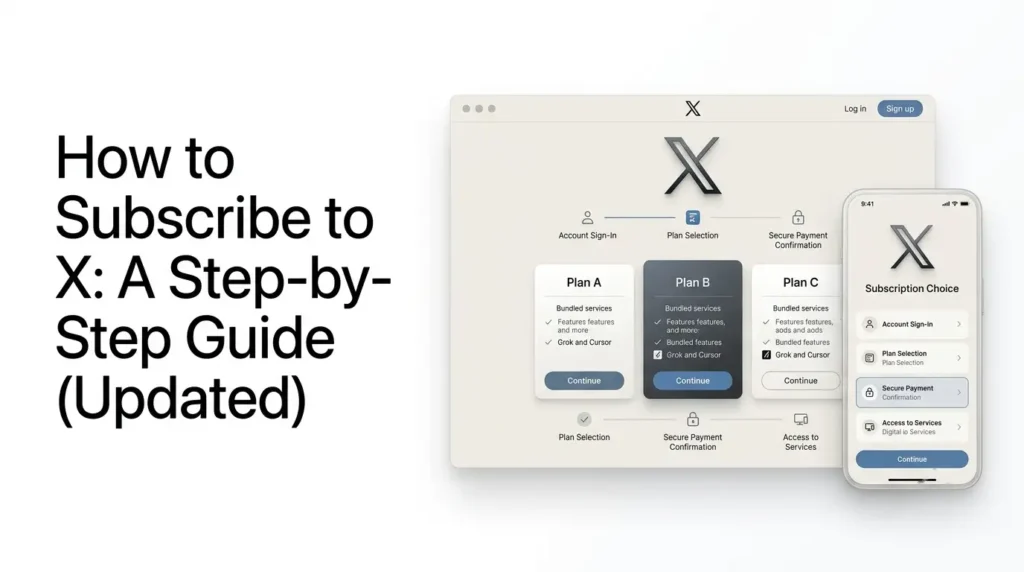
How to subscribe to X? To subscribe to X, visit the official subscription page, choose an available plan, sign in or create an account, connect your X account, and complete the payment.
New customers can choose from the X Subscription plans, which combine X benefits with access to Grok and Cursor. If you already have an X Premium subscription, you can keep your existing plan or switch to the newer subscription.
This guide walks you through how to subscribe to X on the web and mobile, compare available plans, understand payment options, and manage or cancel your subscription.
Key takeaways
- New customers can subscribe to X through the official subscription page by choosing a plan and completing payment.
- The X Subscription combines X benefits with access to Grok and Cursor.
- Existing X Premium subscribers can keep their current plan or switch to the newer subscription.
- Available plans, pricing, and payment methods may vary by country.
- Manage or cancel your subscription through the platform that handles your billing.
Table of Contents
How to Subscribe to X: A Step-by-Step Guide
You can subscribe to X through its website by choosing an available plan, connecting your X account, and completing the payment.
As of 2026, new customers can choose from the X Subscription plans, which combine X benefits with access to Grok and Cursor. Existing X Premium subscribers can continue with their current membership or switch to the newer subscription.
This guide explains how to subscribe to X, choose a plan, complete payment, manage your subscription, and troubleshoot common signup problems.
What Do You Need Before Subscribing to X?
Before purchasing a subscription, make sure you have:
- An active X account with access to your login details.
- A verified phone number if required during signup.
- A supported payment method.
- Access to the email address associated with your account.
- A clear idea of which subscription benefits you need.
If you are subscribing to receive X benefits through The X Subscription, you must connect a personal X account. X accounts managed by an organisation cannot currently be connected in the same way.
You should also check the available plans and regional pricing before paying, since subscription availability and prices can vary by location.
How to Subscribe to X on the Website?
For new customers, the most direct way to explore the combined subscription is through the official X Subscription pricing page.
The signup process depends on whether you are new to X’s paid services or already have an X Premium subscription.
New customers are directed to the X Subscription through xAI’s pricing page, where they can select a plan and connect their X account.
Existing X Premium subscribers can continue using their current membership or choose to switch to the newer subscription through their account or billing settings.
Switching is optional, so you do not need to change plans simply to keep using your existing subscription.
Follow these steps:
Step 1: Open the Official Subscription Page
Visit x.ai/pricing using your browser.
This is the official page where you can review the available subscription options.
Check the plan descriptions, included benefits, and usage allowances before proceeding.
Step 2: Choose a Subscription Plan
The X Subscription currently offers five individual plans:
- Free: Provides standard X access and limited access to the other included services.
- Plus: Adds more AI usage and paid X benefits.
- Premium: Includes higher usage allowances and additional X, Grok, and Cursor benefits.
- Super: Provides a larger included usage allowance.
- Ultra: Offers the highest usage allowance among the individual plans.
Select the plan that matches your requirements. If you mainly want additional X features, pay particular attention to the X benefits included with each tier.
Step 3: Sign In or Create an Account
Follow the checkout instructions to sign in or create the required account.
If you already use X, Grok, or Cursor, make sure you use the correct account credentials. This helps avoid connecting the subscription to the wrong account.
Step 4: Connect Your X Account
To receive X benefits through a paid X Subscription, connect your personal X account when prompted.
Your X benefits depend on the plan you select. Connecting the correct account is important because the subscription benefits apply to the account you link.
When setting up the X Subscription, make sure you connect the personal X account on which you want to use the included X benefits.
Check the account username before completing the setup, especially if you manage multiple X profiles.
Connecting the wrong account could mean that the subscription benefits are applied to a different profile than the one you intended to use. Organization-managed accounts are not supported for this personal-account connection.
Step 5: Complete the Payment
Review the displayed price, billing period, and included usage before confirming your purchase.
Web checkout supports payment methods such as:
- Credit and debit cards
- Apple Pay
- Google Pay
- Link
Available payment options depend on your country. Follow the checkout instructions to complete the transaction.
Step 6: Confirm Your Subscription
After payment, check your account or billing dashboard to confirm that the subscription is active.
You can review your plan, usage allowance, and billing information through the relevant subscription settings.
How to Subscribe to X Premium Through the X App?
The traditional X Premium signup process is available through the X website and supported mobile applications.
The subscription options displayed in the X app may differ from those on the web, depending on your account and existing membership.
If you are a new customer and cannot find the traditional Premium signup option in the app, use the official The X Subscription pricing page to review the plans available to you.
Existing subscribers should check their current billing settings before starting a new subscription to avoid unintentionally creating a separate payment arrangement.
However, new customers are now directed to the X Subscription, while existing Premium subscribers can retain their current membership.
If the traditional Premium option is available to your account, follow these steps:
- Open the X app on your iPhone or Android device.
- Sign in to your account.
- Open your profile menu.
- Select Premium.
- Review the available subscription tiers.
- Choose your preferred plan.
- Tap Subscribe & Pay.
- Complete the in-app purchase process.
X may ask you to confirm your phone number before completing signup. Follow the instructions displayed in the app.
The available options may differ depending on your account, region, and subscription status.
How Much Does It Cost to Subscribe to X?
The newer X Subscription has five individual plans.
Its published US-dollar list prices are:
| Plan | Monthly price | Annual price |
|---|---|---|
| Free | $0 | $0 |
| Plus | $8 | $80 |
| Premium | $30 | $300 |
| Super | $100 | $1,000 |
| Ultra | $200 | $2,000 |
These are published list prices in US dollars. Your actual checkout price may differ because of regional pricing, currency conversion, taxes, and payment-platform differences.
Existing X Premium subscribers may still have legacy pricing. Their current plan, price, and features remain unchanged unless they choose to switch or cancel.
Which X Subscription Plan Should You Choose?
The right plan depends on how you use X and whether you also need Grok and Cursor.
| Plan | Best suited for |
|---|---|
| Free | People who want standard X access |
| Plus | Users who want additional X benefits and a modest AI usage allowance |
| Premium | Users who need more AI usage and broader X and Cursor features |
| Super | Heavy users who need a larger shared usage allowance |
| Ultra | Users who require the highest included usage allowance |
Remember that Grok and Cursor draw from a shared weekly usage pool. Using more of your allowance in one service leaves less available for the other.
Also, third-party models in Cursor, such as Claude and GPT, are not included in the subscription’s shared model allowance and may incur separate charges.
Subscription availability and checkout options can vary by country. The prices displayed on the official pricing page or during checkout may differ from the USD prices shown in subscription comparisons because of regional pricing, taxes, and supported payment methods.
If a plan does not appear for your location, check the official pricing page again and review the options presented for your account.
Do not assume that a plan or payment method available in another country will also be available to you.
How to Upgrade, Change, or Cancel Your X Subscription?
You can manage your subscription through the billing platform where you purchased it.
For the X Subscription, billing and plan management are available through the relevant account dashboard.
Existing X Premium subscribers can manage their membership through X’s subscription settings.
If you already pay for X Premium, compare your current benefits with The X Subscription before switching. Moving to the newer subscription changes how your X, Grok, and Cursor access is bundled.
According to the published subscription information, switching from an existing subscription is not a reversible change to your previous arrangement. Review the plan benefits, billing details, and any separately billed services before confirming the switch.
Before changing plans, keep these points in mind:
- Upgrades and downgrades may affect your billing immediately.
- Switching to The X Subscription can combine selected existing accounts and subscriptions.
- The account-unification process is permanent and cannot be undone.
- Canceling a subscription generally stops future renewal rather than refunding payments already made.
- Apple-billed subscriptions may require separate cancellation through Apple.
If you are switching from an existing X Premium, SuperGrok, or Cursor plan, review the transition terms carefully before confirming.
What are the Common Problems When Subscribing to X?
Sometimes the sign-up process does not work as expected. Here are a few issues to check.
1. Payment Is Declined
If your payment is declined, first check that your payment method is supported in your country and that your card or digital wallet has sufficient funds.
Confirm that the billing details are correct and check whether your bank has blocked the transaction.
If you subscribed through Apple or Google Play, review the payment status in the relevant app-store account.
If the problem continues, use the billing or support options provided by the platform through which you attempted to subscribe.
2. Subscription Is Not Available in Your Country
X and its subscription services are not necessarily available in every market. Check the official pricing page and the options displayed during checkout to confirm availability.
3. Phone Number Verification Fails
Make sure you have entered the correct phone number and can receive verification messages. If the verification process continues to fail, follow the support instructions shown by X.
4. You Cannot Find the Premium Option
The subscription interface may differ depending on whether you are a new customer or an existing X Premium subscriber.
New customers should check the X Subscription pricing page, while existing subscribers can review their account’s billing settings.
Frequently Asked Questions
1. Can I subscribe to X without paying?
Yes. You can use X’s standard free account without purchasing a paid subscription. The Free tier of The X Subscription also provides limited access to the combined services.
2. Can I subscribe to X from my phone?
Yes. The traditional X Premium signup process is supported through the X app on iOS and Android. New customers can also review The X Subscription through its official website.
3. Do I need X Premium to use Grok?
No. Grok has its own access options. The X Subscription combines Grok, Cursor, and X benefits, but you do not need an X Premium membership simply to use X.
4. Can I cancel my X subscription anytime?
You can generally cancel a subscription at any time, but the cancellation process depends on where you purchased it. Check the relevant billing settings and cancel before the renewal date to avoid another charge.
5. Will I get a blue checkmark after subscribing?
A paid plan that includes checkmark eligibility does not guarantee automatic verification. Your account must meet X’s applicable requirements and pass its review.
6. Can I keep my existing X Premium subscription?
Yes. Existing subscribers can keep their current plan, price, and features unless they decide to switch or cancel. Moving to The X Subscription is optional.
Also Read –
X Subscription Features: What Do You Actually Get?
Everything You Need to Know About X Subscription Pricing in 2026