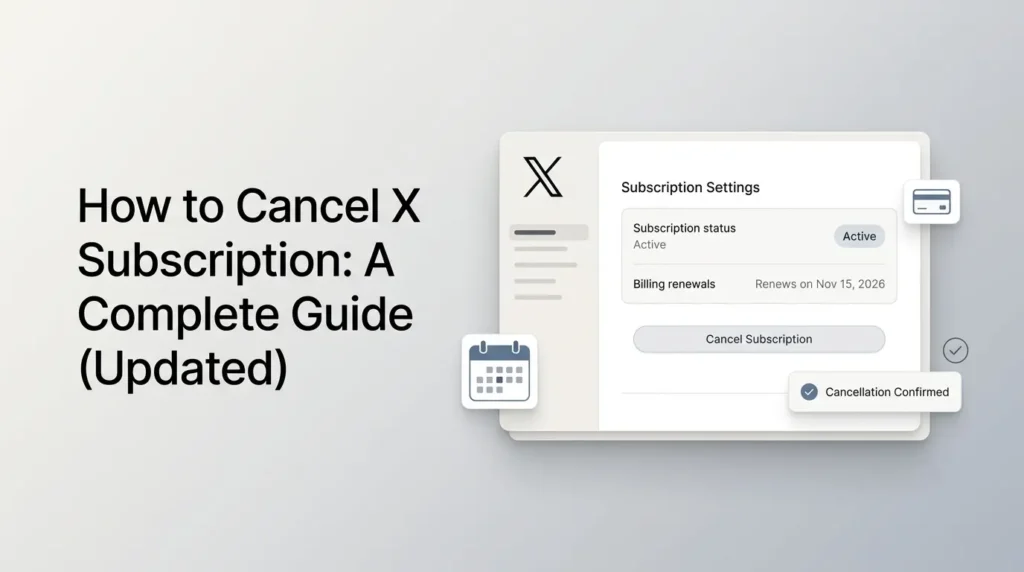
The most important thing to know before you cancel X subscription is that you must cancel it through the platform that bills you.
A subscription purchased directly through the web, through X, or through an app store may have a different cancellation process.
If you use the newer X Subscription, you can generally manage a direct web-billed plan through your Grok billing dashboard. Existing X Premium subscribers may need to cancel through X, Apple, or Google Play, depending on where they originally subscribed.
This guide explains the cancellation steps, renewal deadlines, refunds, and what happens to your benefits after cancellation.
Key takeaways
- Check whether you have the legacy X Premium plan or the newer X Subscription before cancelling, as the cancellation process differs.
- Cancel through the platform where you originally subscribed: X or Grok website, Apple App Store, or Google Play.
- Cancel at least 24 hours before your renewal date to help avoid the next automatic charge.
- Your paid benefits generally remain available until the end of the current billing period.
- Cancelling your subscription does not delete your X account, and separately billed Grok or Cursor subscriptions may need separate cancellation.
Table of Contents
How to Cancel an X Subscription?
Before cancelling, identify which subscription you currently have.

Traditional X Premium is the older membership structure that provides paid features on X, while The X Subscription is a newer bundle combining X benefits with Grok and Cursor access.

These subscriptions have different billing and account-management arrangements, so the cancellation method may not be the same. Check your subscription name and billing details before proceeding.
1. How do you cancel an X subscription through the website?
If you purchased The X Subscription directly through the web, follow these steps:
- Visit grok.com/dashboard and sign in to your account.
- Open the Billing & invoices section.
- Find the Current plan card.
- Open the options for your current subscription.
- Select the cancellation option.
- Follow the on-screen instructions to confirm.
You can also open the billing page directly at grok.com/dashboard/billing.
The X Subscription combines X, Grok, and Cursor under one subscription arrangement.
Its billing and plan management are handled through the Grok dashboard when you pay directly on the web.
2. How do you cancel a subscription purchased through X?
If you purchased your subscription through X, manage the cancellation from X rather than assuming that the Grok dashboard controls the payment.
- Sign in to the X account associated with the subscription.
- Open your profile menu.
- Go to Premium or the relevant subscription settings.
- Find the subscription management or cancellation option.
- Follow the prompts to confirm cancellation.
The exact menu labels may vary depending on your account and subscription arrangement.
X’s guidance is to manage a traditional Premium subscription through the platform where you originally subscribed.
3. How do you cancel X Premium on an iPhone or iPad?
If you purchased traditional X Premium using Apple’s in-app purchase system, you generally need to cancel through your Apple account.
- Open Settings on your iPhone or iPad.
- Tap your Apple Account name.
- Select Subscriptions.
- Find X or X Premium in your active subscriptions.
- Select Cancel Subscription and confirm if prompted.
You can also manage Apple subscriptions through Apple’s subscription management interface. If X Premium does not appear, check that you are signed in with the Apple Account used for the original purchase.
4. How do you cancel X Premium on an Android device?
If you subscribed to traditional X Premium through Google Play, cancel it in the Google Play Store:
- Open the Google Play Store.
- Tap your profile icon.
- Select Payments & subscriptions, then Subscriptions.
- Find X or X Premium.
- Tap Cancel subscription.
- Follow the instructions to confirm.
Deleting the X app does not cancel an app-store subscription. You must complete the cancellation through Google Play.
How to Check Where Your X Subscription Is Billed?
If you are unsure which cancellation method applies, check your billing records before making changes.
Cancelling through the wrong platform may not stop the recurring payment.
| Where you subscribed | Where to manage cancellation |
|---|---|
| Direct web purchase of The X Subscription | Grok Billing & invoices dashboard |
| The X Subscription purchased through X | X subscription settings |
| The X Subscription purchased through Google Play | Google Play Store |
| Traditional X Premium purchased through Apple | Apple Account subscriptions |
| Traditional X Premium purchased through Google Play | Google Play Store |
| Traditional X Premium purchased on the web | X Premium settings |
Check your email receipts, bank statement, Apple purchase history, or Google Play order history if you cannot identify the billing platform.
The original payment receipt is often the easiest way to confirm who processes the renewal.
When Should You Cancel to Avoid the Next Charge?
Cancel before your next renewal date if you do not want another subscription payment.
For traditional X Premium, X advises cancelling at least 24 hours before the automatic renewal period to avoid another charge.
Its subscription terms also state that subscriptions automatically renew unless cancelled within the required period.
For the X Subscription, check the renewal date displayed in your billing dashboard and cancel before the next billing cycle begins.
A practical approach is to:
- Check your next billing date before cancelling.
- Avoid waiting until the final hours of the renewal period.
- Save the cancellation confirmation or email.
- Recheck your subscription status to make sure it is no longer scheduled to renew.
The exact timing of payment processing can depend on the billing platform, so cancelling early is safer than waiting until the renewal date.
How to Confirm Your X Subscription Has Been Cancelled?
After cancelling, check the subscription or billing page for a cancellation confirmation or an updated renewal status.
Your account should indicate that automatic renewal has been stopped or display the date when your current access expires.
Keep any confirmation email or transaction record for reference.
If the subscription still appears scheduled to renew, contact the platform that processes your payment before the next billing date.
What Happens After You Cancel an X Subscription?
Cancelling a paid X subscription does not mean deleting your X account.

Your profile, posts, followers, and ordinary account access are separate from your paid membership.

Once the paid subscription expires, you generally continue using X under the features available to free accounts. You do not need to deactivate your account to stop subscription payments.
1. Do You Lose Premium Features Immediately?
For traditional X Premium, your paid features generally remain available until the end of the billing period you have already paid for.
X states that Premium features expire when the current billing cycle ends.
For The X Subscription, xAI says you can cancel at any time and retain access to your benefits through the end of the billing period.
For example, if your subscription renews on November 15 and you cancel on November 5, you generally retain access until the current paid period ends. You should not expect cancellation to provide an immediate refund for unused days.
2. What Happens to Your Blue Checkmark?
If you have traditional X Premium, cancelling does not necessarily remove your blue checkmark immediately.
X says it remains until the end of the paid subscription term, unless the account is suspended or the checkmark is removed for another reason.
After the subscription period expires, the checkmark and other subscription-dependent benefits may no longer be available.
3. What Happens to Grok and Cursor Access?
If you cancel The X Subscription, the included subscription benefits remain available through the end of the billing period. After that, access to paid plan benefits ends according to the plan’s terms.
One important distinction applies if you previously combined accounts under The X Subscription, cancelling the bundle does not separate those accounts or automatically restore your former Cursor, SuperGrok, or X Premium subscriptions.
The account combination is permanent, so do not assume that cancelling will return you to your previous subscription setup.
4. What Happens to Separate Grok, Cursor, and X Subscriptions?
Before cancelling the X Subscription, review whether you have any separate subscriptions or payments associated with Grok, Cursor, or X. The bundle does not automatically guarantee that every previous subscription has been restored or cancelled.
In particular, separately billed services may need to be managed through their original billing providers.
Check your active subscriptions and invoices individually to avoid paying for services you no longer intend to use.
Can You Get a Refund After Cancelling X Premium?
If you only want to stop paying temporarily, check whether your subscription management page offers a pause option. Do not assume that cancelling a subscription is the same as pausing it.
If no pause option is displayed, cancelling the recurring subscription is the way to prevent future renewals. You can review the available plans and subscribe again later if you decide to restore paid features.
Cancelling and requesting a refund are two different actions. Stopping a future renewal does not automatically return money for the current billing period.
For traditional X Premium, subscriptions are generally non-refundable, except where required by law or in certain plan-change situations.
X also directs users to Apple or Google for app-related cancellation and refund issues.
For the X Subscription, refund eligibility depends on the circumstances and applicable terms.
If you switch from eligible older subscriptions to the bundle, unused time may be refunded on a prorated basis. That is different from simply cancelling the new subscription.
If you believe you were charged incorrectly:
- Identify the company or platform that processed the payment.
- Check the invoice or transaction details.
- Review that provider’s refund policy.
- Contact the relevant support team if the charge appears incorrect.
Do not assume that cancelling automatically triggers a refund.
What are Common Problems when Cancelling an X Subscription?
1. Cancel Option Is Missing
You may be looking in the wrong place.
Check whether the subscription was purchased through X, the web, Apple, or Google Play. Each platform manages its own billing arrangements.
2. X Premium Is Not Showing in Apple or Google Play Subscriptions
If X Premium does not appear in your Apple or Google Play subscription list, first confirm that you are signed into the same Apple Account or Google Account used for the original purchase.
Check your purchase history and email receipts to identify the payment provider.
You may have subscribed directly through the X website or another billing route instead of using an app-store purchase. Once you identify the original billing method, use that platform’s subscription settings to cancel.
2. You Cancelled, but Received Another Charge
Check the cancellation date against the renewal date. Also confirm that you cancelled the correct subscription.
If you have multiple X, Grok, or Cursor subscriptions, cancelling one does not necessarily cancel the others.
3. You Cannot Access Your X Account
If you cannot sign in, try recovering access to the account or contact the billing provider directly.
For app-store purchases, Apple or Google may be able to help with subscription management even when you cannot access the X app.
4. What If You No Longer Have Access to Your Billing Account?
If you no longer have access to the Apple Account or Google Account used to purchase your subscription, you may need to recover that account before managing the recurring payment.
For subscriptions purchased directly through the web, try accessing the original billing account associated with your X or Grok subscription.
If account recovery is unsuccessful, contact the relevant billing provider and explain that you need to stop an active recurring payment.
Changing your X password or deleting the X app does not automatically cancel the subscription.
5. You Switched to The X Subscription, but an Old Payment Is Still Active
Review your previous subscriptions individually. When switching, some eligible subscriptions are cancelled automatically, but there are exceptions.
For example, an Apple-billed Cursor subscription must be cancelled separately through Apple. A Google Play subscription may also need to be checked manually after switching.
Final Thoughts
To cancel an X subscription, first identify where you purchased it and then use that platform’s subscription settings.
Direct web-billed X Subscription plans can be cancelled through the Grok billing dashboard, while other purchases may need to be managed through X, Apple, or Google Play.
Check your renewal date, confirm the cancellation, and review any separate Grok or Cursor subscriptions before assuming all recurring payments have stopped.
Following the correct process helps you avoid unwanted renewals and unexpected charges.
Frequently Asked Questions (FAQs)
1. Can I Cancel My X Subscription at Any Time?
Yes. You can cancel at any time, but the method depends on your billing platform. Your access generally continues until the end of the current paid period.
2. Will I Get a Refund if I Cancel X Premium?
Not automatically. Traditional X Premium subscriptions are generally non-refundable, except where required by law or under specific plan-change conditions. Refund requests for app-store purchases should be handled through the relevant store.
3. Does Deleting the X App Cancel My Subscription?
No. Removing the app from your phone does not cancel an active subscription purchased through Apple or Google Play. Cancel it through the platform that manages your payment.
4. Will I Lose My Blue Checkmark Immediately After Cancelling?
Not necessarily. X says the blue checkmark remains until the end of the paid subscription term, unless it is removed for another reason or the account is suspended.
5. Can I Cancel The X Subscription Without Cancelling My X Account?
Yes. Cancelling the paid subscription is different from deleting or deactivating your X account. You can stop the recurring subscription while retaining access to your X account under the applicable free-service terms.
6. Does Cancelling The X Subscription Restore My Old X Premium or Cursor Plan?
No. If you previously combined your accounts under The X Subscription, cancellation does not undo that combination or automatically restore your previous subscriptions.
Also Read –
X Subscription Features: What Do You Actually Get?
How to Subscribe to X: A Step-by-Step Guide (Updated)
X Subscription Plans Compared: Features, Pricing, and Differences
Pingback: How to Manage X Subscription and Billing: A Complete Guide