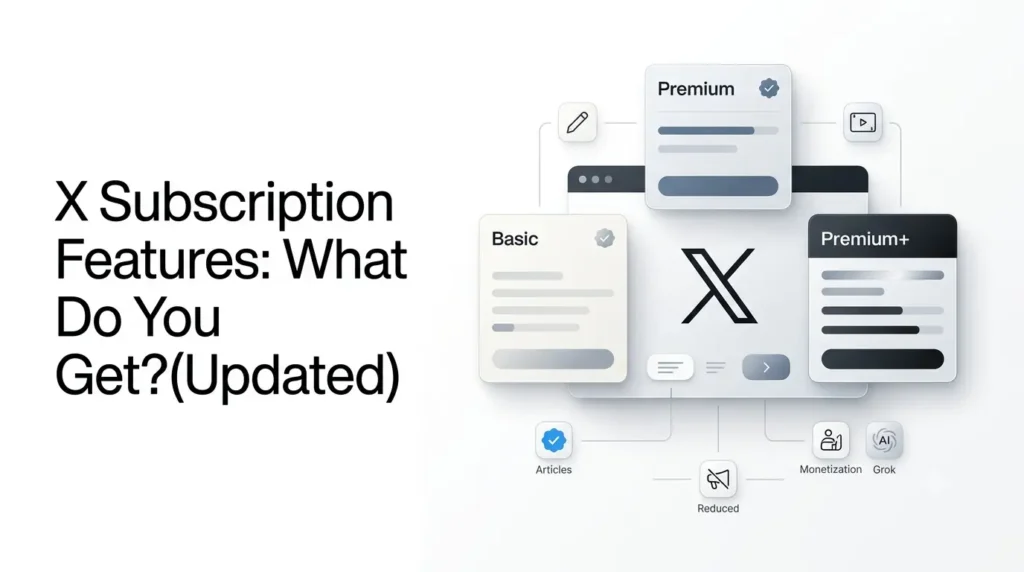
X Subscription Features include tools for editing posts, publishing longer content, uploading longer videos, reducing ads, accessing creator monetization features, and using additional services such as Grok and Cursor.
However, the features you receive depend on the subscription plan you choose. Basic, Premium, and Premium+ offer different benefits under the traditional X Premium structure, while the newer X Subscription combines X with AI and coding tools.
This guide breaks down the available features, plan differences, pricing, and limitations to help you decide which subscription is worth paying for.
Key takeaways
- X offers different subscription benefits depending on the plan, including Basic, Premium, and Premium+.
- Paid features include post editing, longer posts, longer video uploads, and reply prioritization.
- Premium and Premium+ add benefits such as blue checkmark eligibility, reduced ads, and creator tools.
- The newer X Subscription combines X access with Grok and Cursor, subject to plan-specific usage limits.
- Compare features, pricing, and eligibility requirements before choosing a subscription.
Table of Contents
What Are X Subscription Features?
X subscription features are paid tools and account benefits that extend what users can do on the platform.
Depending on the plan, they can include:
- Editing published posts within a limited time.
- Publishing posts of up to 25,000 characters.
- Uploading longer videos.
- Getting a blue checkmark after an eligibility review.
- Reducing the number of ads shown in timelines.
- Accessing creator monetization tools.
- Using advanced features such as Articles, Radar Search, and higher Grok usage limits.
There are two subscription structures to understand: the established X Premium tiers and the newer X Subscription, which combines X with Grok and Cursor.
Existing Premium subscribers can keep their current plan, price, and features unless they choose to switch.
X Premium vs The X Subscription: What’s the Difference?
X Premium traditionally has three tiers: Basic, Premium, and Premium+. The newer X Subscription has Free, Plus, Premium, Super, and Ultra plans.
The distinction matters because the names and benefits are not interchangeable.
| Subscription structure | Plans | What it provides on X |
|---|---|---|
| Existing X Premium | Basic | Core posting and customization features |
| Existing X Premium | Premium | Basic features, blue checkmark eligibility, creator tools, fewer ads |
| Existing X Premium | Premium+ | Premium benefits plus additional features such as Articles and Radar Search |
| The X Subscription | Free | Standard X experience |
| The X Subscription | Plus | Checkmark, creator tools, and fewer ads |
| The X Subscription | Premium, Super, Ultra | Full X Premium+ benefits |
The new subscription also includes access to Grok and Cursor, with usage limits determined by the selected plan.
To receive the X benefits, users must connect a personal X account.
Which X Subscription Plan Includes Each Feature?
The availability of X features depends on the subscription tier.
Some benefits, such as post editing and longer posts, are available at lower paid tiers, while verification, reduced advertising, creator tools, and advanced publishing features are associated with higher tiers.
Before subscribing, compare the individual features rather than assuming that every paid plan includes the same benefits.
Also distinguish the established X Premium tiers from the newer combined X Subscription, since their plan names and included services are different.
A detailed comparison should cover:
| Feature | Basic | Premium | Premium+ |
|---|---|---|---|
| Edit posts | ✓ | ✓ | ✓ |
| Longer posts | ✓ | ✓ | ✓ |
| Longer video uploads | ✓ | ✓ | ✓ |
| Blue checkmark eligibility | — | ✓ | ✓ |
| Reduced ads | — | ✓ | ✓ |
| Articles | — | — | ✓ |
| Radar Search | — | — | ✓ |
| Creator monetization eligibility | Limited/plan-dependent | ✓ | ✓ |
Are X Premium and The X Subscription Separate Products?
X Premium is the established paid membership for accessing additional features on X. It has traditionally been offered through Basic, Premium, and Premium+ tiers.
The newer X Subscription takes a broader approach by combining X benefits with access to services such as Grok and Cursor. This makes it more than a renamed version of X Premium.
Existing subscribers should check their current membership details before switching, because the included services, usage limits, and billing arrangements may differ.
What X Subscription Features Are Available Across All X Paid Plans?
X offers several subscription tiers, with each higher tier unlocking additional features.
However, some features are available across all three traditional X Premium plans: Basic, Premium, and Premium+.
Here are the key features shared across all three tiers:
- Edit Posts: Make changes to published posts within a one-hour editing window.
- Longer Posts: Publish posts containing up to 25,000 characters instead of the standard 280-character limit.
- Longer Video Uploads: Upload videos up to approximately three hours long and 8 GB in size, subject to platform availability.
- Create Communities: Build and manage communities around shared interests.
- Text Formatting: Use formatting options to make posts easier to read.
- Bookmark Folders: Organize saved posts into different folders.
- Custom App Icons: Personalize the X app icon on supported devices.
These features make even the entry-level paid plan useful for people who regularly publish content, engage with communities, or want more flexibility when using X.
Important: Not every feature is available on every platform or in every region. X also introduced The X Subscription, which changes how some subscription benefits are bundled. Existing X Premium subscribers may retain their previous plan features until they switch.
What Do X Premium and Premium+ Add?
The higher traditional Premium tiers introduce benefits that go beyond post creation and customization.
1. Blue Checkmark and ID Verification
Premium and Premium+ subscribers can become eligible for a blue checkmark after X reviews their accounts.
A subscription alone does not guarantee verification. Accounts must meet requirements such as having a complete profile, a confirmed phone number, recent activity, and no misleading or deceptive behaviour.
X also offers optional government-ID verification, which adds an ID-verified label to eligible profiles. This is separate from the blue checkmark.
Is a Blue Checkmark the Same as ID Verification?
No. The blue checkmark indicates that an account meets X’s subscription-related verification requirements.
ID verification is a separate process that confirms an eligible user’s identity using government-issued identification. Having one does not necessarily mean the user has completed the other.
2. Reduced Ads
The advertising experience depends on the tier:
- Basic: No reduced-ad benefit.
- Premium: Approximately 50% fewer ads in the For You and Following timelines.
- Premium+: An ad-free experience across most areas of X, including timelines, replies, and profiles, although occasional sponsored content may still appear.
The reduced-ad benefit for Premium and Premium+ is available after the account has passed review and received its blue checkmark.
3. Creator Monetization Tools
Eligible Premium subscribers can access creator monetization features, including Creator Subscriptions and Original Content Rewards.
Creator Subscriptions allow eligible creators to offer paid content to their followers.
Original Content Rewards is X’s newer program for rewarding creators who publish original, high-quality material.
One important change you should keep in mind, X’s previous Creator Revenue Sharing program ended on September 7, 2026. It should not be presented as the current monetization program for new applicants.
Original Content Rewards has replaced it, with eligibility requirements that include an active qualifying subscription, at least 500 verified followers, and 500,000 Home Timeline impressions from verified users over the previous 90 days.
Does Paying for X Premium Guarantee Creator Monetization?
No. An eligible X subscription may be one requirement for accessing certain creator monetization programs, but it does not automatically qualify an account to earn money. Creators may also need to meet follower, engagement, activity, location, and content-policy requirements.
For example, Original Content Rewards has separate eligibility conditions, including verified followers and qualifying impressions.
Meeting the subscription requirement is only one part of the application process.
4. Media Studio and Premium Gifting
Premium subscribers can access Media Studio to manage uploaded images and videos. They can also gift eligible X Premium subscriptions to other users.
These tools are more relevant to active creators and people who manage content regularly than to occasional users.
What Additional Features Come With Premium+?
Premium+ includes the broadest set of benefits in the traditional X Premium structure.
Some notable features include:
- Articles: Publish long-form written content directly on X.
- Radar Search: Access advanced search capabilities for tracking conversations and topics.
- Higher Grok limits: Use Grok with higher usage limits than lower subscription tiers.
- Grok Bot and SuperGrok access: Access additional AI-related capabilities under the applicable Premium+ offering.
- Greater reply prioritization: Receive the highest reply-prioritization level among the traditional Premium tiers.
Premium+ is aimed at people who use X as a publishing, research, or professional platform rather than simply as a social network. Feature availability can vary by account and location.
What Do Grok and Cursor Add to the X Subscription?
The newer X Subscription extends beyond social networking by including access to Grok and Cursor, subject to the selected plan’s usage limits.
Grok can help users research topics, analyse information, and generate content, while Cursor provides AI-assisted coding capabilities.
However, access should not be confused with unlimited usage. Available models, usage allowances, and additional charges can depend on the subscription tier.
Users who mainly want X’s social features should evaluate these AI benefits separately when deciding whether the combined plan offers good value.
How Are X Articles Different From Longer Posts?
Longer posts allow subscribers to publish more text within a single standard X post. Articles provide a dedicated long-form publishing format with more room for structured content.
This makes Articles more suitable for detailed guides, essays, and in-depth commentary, while longer posts work better for expanded updates or explanations within the regular timeline.
What Is Radar Search on X?
Radar Search is an advanced search and discovery capability designed to help users explore conversations and identify activity around topics on X. It can be useful for researchers, marketers, journalists, and businesses monitoring discussions. Its availability and specific capabilities depend on the subscription offering.
How Much Does an X Subscription Cost?
Pricing depends on whether you are choosing an existing X Premium plan or the newer combined X Subscription.
The following are the published starting prices for the newer individual plans:
| The X Subscription plan | Monthly price | Annual price |
|---|---|---|
| Free | $0 | $0 |
| Plus | $8 | $80 |
| Premium | $30 | $300 |
| Super | $100 | $1,000 |
| Ultra | $200 | $2,000 |
These are listed prices in US dollars, before applicable taxes. Local pricing may differ.
For comparison, X’s existing Premium FAQ lists starting web prices of $3 per month for Basic, $8 for Premium, and $40 for Premium+.
These legacy plans remain available to existing subscribers who have not switched. X says switching to the combined subscription is optional.
Do X Subscription Features Differ Between Web and Mobile?
Most core subscription benefits are designed to work across supported versions of X, but individual features may have platform restrictions. For example, some video-upload capabilities are documented specifically for the website and iOS app.
Subscription prices can also differ depending on whether you purchase through X’s website or an app store.
Before subscribing, compare the price displayed on the web and mobile checkout pages. Also check whether the feature you want is supported on your device.
How to Subscribe to X Premium?
You can subscribe through the X website or a supported mobile application:
- Open X and sign in to your account.
- Navigate to the Premium or subscription section.
- Review the available plans and their included features.
- Select the plan that suits your requirements.
- Complete the payment process.
To manage or cancel an existing subscription, use the subscription settings or the billing platform through which you originally purchased it.
If you subscribed through Apple or Google, cancellation may need to be completed through the relevant app store subscription settings.
What Happens When You Cancel X Premium?
When a paid subscription expires, access to subscription-only features generally ends. Your account remains available, and you can continue using standard X features, but benefits such as longer posts, editing, longer video uploads, and paid-tier customization may no longer be available.
Some account-related features, such as a blue checkmark, are also tied to an active eligible subscription and continued compliance with X’s requirements. Check X’s cancellation and renewal terms before ending your membership.
Is an X Subscription Worth It?
Whether a subscription is worth paying for depends on how you use the platform.
| User type | Features that may be useful |
|---|---|
| Casual users | Longer posts, editing, bookmarks |
| Writers and journalists | Longer posts, Articles, editing |
| Creators | Creator tools, monetization, Media Studio |
| Businesses and professionals | Longer videos, visibility tools, customization |
| Researchers and heavy users | Radar Search, higher Grok limits, fewer ads |
If you mainly read posts and occasionally share updates, the free version may be enough. Basic or Plus can make sense if you regularly publish longer content or want additional account tools.
Premium or Premium+ benefits are more relevant if you depend on X for content creation, audience building, research, or professional communication.
Consider the combined plan’s Grok and Cursor access separately when comparing its overall value.
What are the Limitations to Know Before Subscribing?
A paid subscription does not guarantee better reach, engagement, or income.
Keep these points in mind:
- A blue checkmark is subject to account review and eligibility requirements.
- Reduced ads does not necessarily mean every area of X is completely ad-free.
- Creator monetization requires meeting separate eligibility criteria.
- Reply prioritization does not guarantee top placement.
- Some features are unavailable in particular countries or on certain devices.
- The newer X Subscription uses a shared weekly usage pool for Grok and Cursor; third-party Cursor models such as Claude and GPT are billed separately.
Check the plan details shown at checkout before paying, particularly if you are switching from an existing subscription.
Final Thoughts
The most useful X Subscription Features depend on what you expect from the platform.
Basic posting improvements can help regular users, while creator tools, reduced ads, Articles, and advanced search offer more value to people who use X professionally.
The newer X Subscription adds another consideration: access to Grok and Cursor alongside X benefits.
Before choosing a plan, compare the actual features you will use, check local pricing, and remember that a paid subscription does not guarantee reach or monetization.
Frequently Asked Questions
1. Can I use X Premium features without paying?
No. Features such as editing posts, longer posts, and longer video uploads require an eligible paid subscription. Standard posting, reading, and interacting with public content remain available on free X accounts.
2. Does X Premium remove all ads?
No. The traditional Premium tier reduces ads in the For You and Following timelines by approximately 50%. Premium+ removes ads across most areas, but occasional sponsored content may still appear.
3. Does an X subscription give you a blue checkmark automatically?
No. Premium and Premium+ subscribers are eligible for a blue checkmark, but their accounts must pass X’s review and meet its requirements.
4. Can you earn money with an X subscription?
A qualifying subscription provides access to creator monetization programs, but it does not guarantee earnings. Creators must meet the eligibility requirements for programs such as Original Content Rewards or Creator Subscriptions.
5. Is X Premium the same as The X Subscription?
No. X Premium refers to the established subscription tiers, while The X Subscription combines X, Grok, and Cursor under one billing structure. Existing Premium subscribers can continue their current plans without switching.
Also Read –
What Is the X Subscription? Plans, Benefits and How It Works?
X Subscription Plans Compared: Features, Pricing, and Differences
Pingback: X Subscription Benefits Not Showing? How to Fix It? (Updated)